The Matters List centralizes all existing matters. From this main page, create your matters.
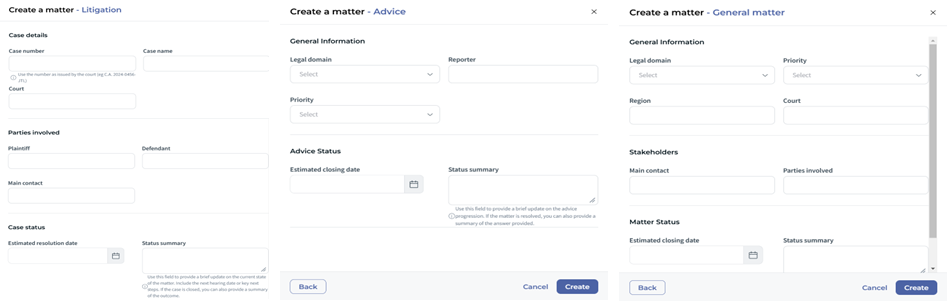
To create a matter, click on "Create a matter" and choose from the three default matter types:
- Litigation: Use this matter type for disputes requiring court resolution, including lawsuits, contract disputes, and trial preparation. Ideal for tracking all legal proceedings from start to finish.
- General matter: This versatile matter type is suited for a wide range of matters, including legal, business or administrative topics related to your organization.
- Advice: Use this matter type to track requests for legal opinions or guidance, such as contract reviews, risk assessments, or general legal consultations.
Select a matter type and complete the form by providing the matter's main details:
- Name
- Description
- Date opened
- Status
The form fields may vary depending on the matter type selected.
✍ Duplicate an existing Matter
With Matter Duplication, you can create a new matter based on an existing one — saving time while ensuring consistency across your legal operations.
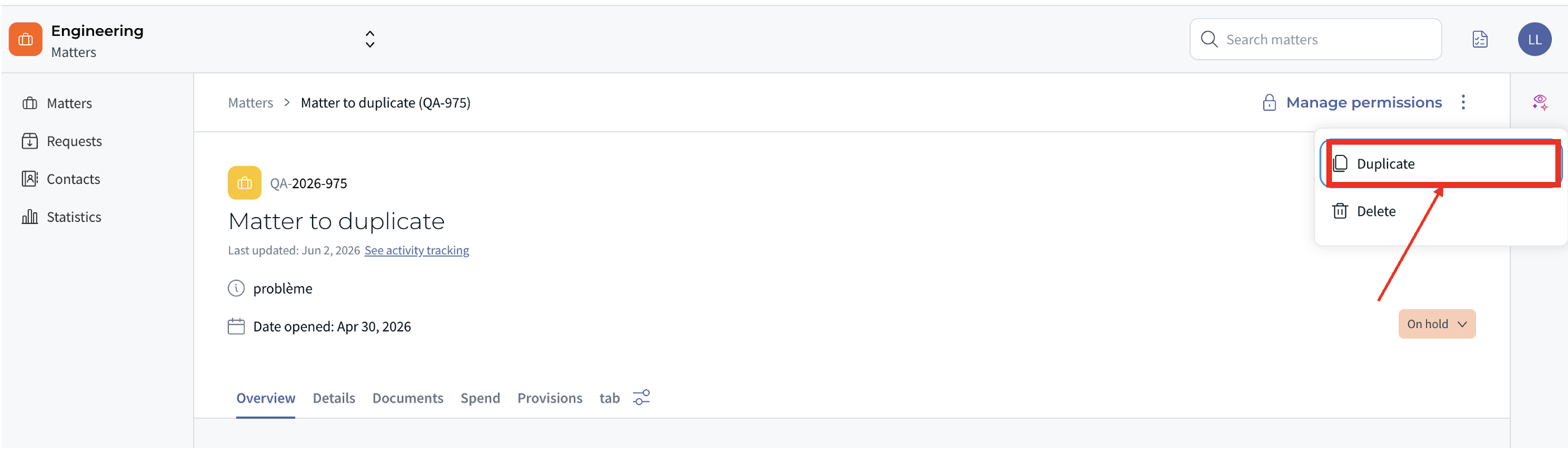
To duplicate a matter, open the matter you want to copy and click the "Duplicate" button. A new matter is instantly created as an exact copy of the original.
What is duplicated
The duplicated matter includes all the main details of the original. In addition, you can choose to include the following elements using the available options:
- Documents
- Spends
- Provisions
What is reset or excluded
To ensure the new matter is properly set up, the following fields are automatically adjusted:
| Field | Value in the duplicate |
|---|---|
| Matter ID | New ID generated |
| Creation date | Today's date |
| Start date | Today's date |
| Status | Open |
| Title | "Copy of [original name]" (can be renamed) |
| Matter owner | Set as for a new matter |
| Tasks | Not duplicated |
☝ Link Matter with others
Link related matters to easily recognize when a similar situation has already occurred, learn from how it was previously handled, and ensure a consistent approach moving forward.
Was this article helpful?
That’s Great!
Thank you for your feedback
Sorry! We couldn't be helpful
Thank you for your feedback
Feedback sent
We appreciate your effort and will try to fix the article