The Monthly Auto-Report about AI Success gives each organization a clear and simple view of how much time was saved thanks to DiliTrust’s AI features — every month, automatically. It helps users understand the tangible impact of AI on their daily contract management work while giving leadership visibility on ROI.
What is the Monthly AI Report? ❓
Each month, the system calculates how many hours the AI helped your team save and how many actions it completed across all your CLM activities. You’ll receive a popup notification in your workspace and can open a detailed summary in the Analytics section.
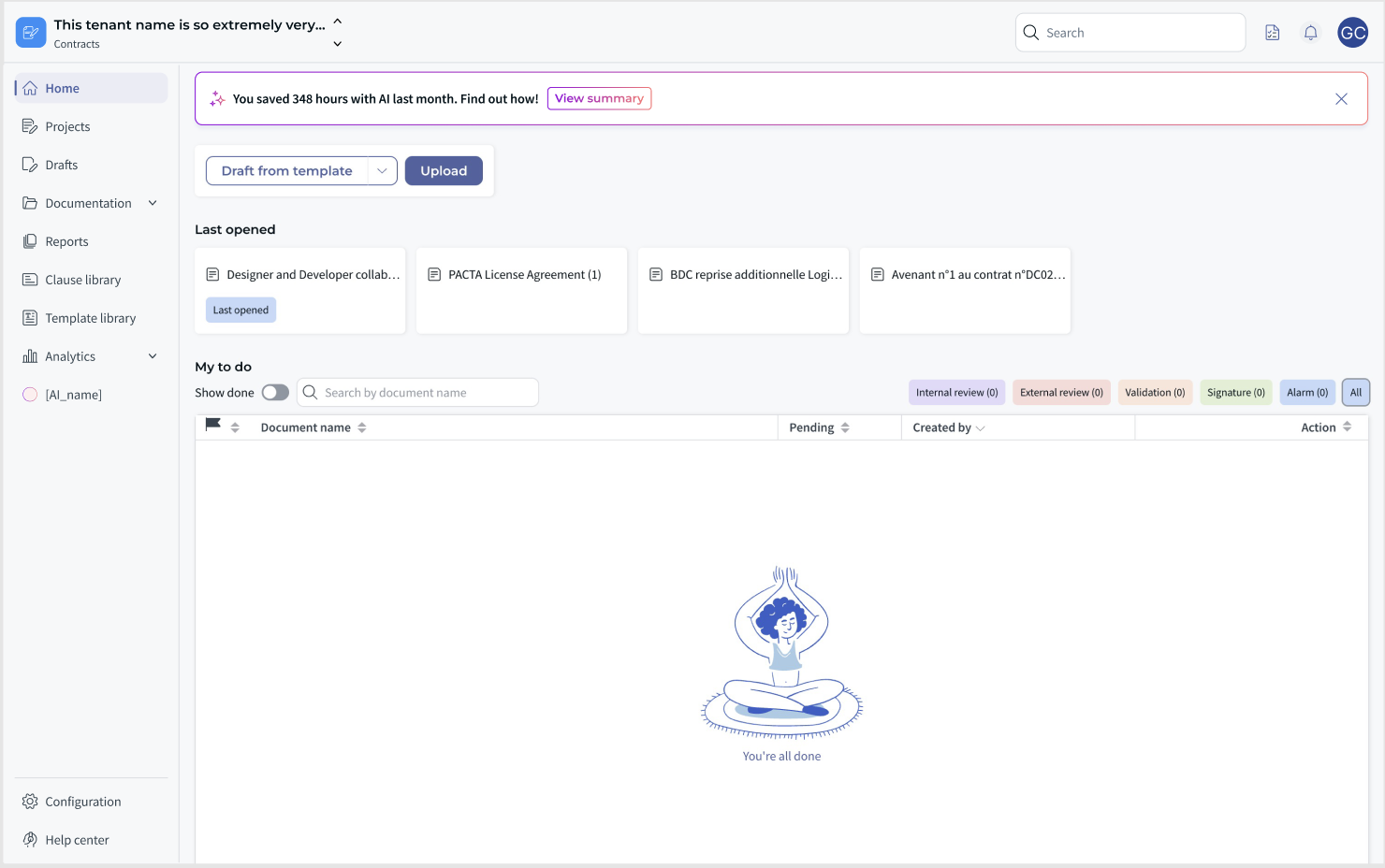
The metrics are automatically generated for your tenant (workspace), and no manual setup is required. You can review them anytime in Analytics → AI Performance.
What does the report include? ?
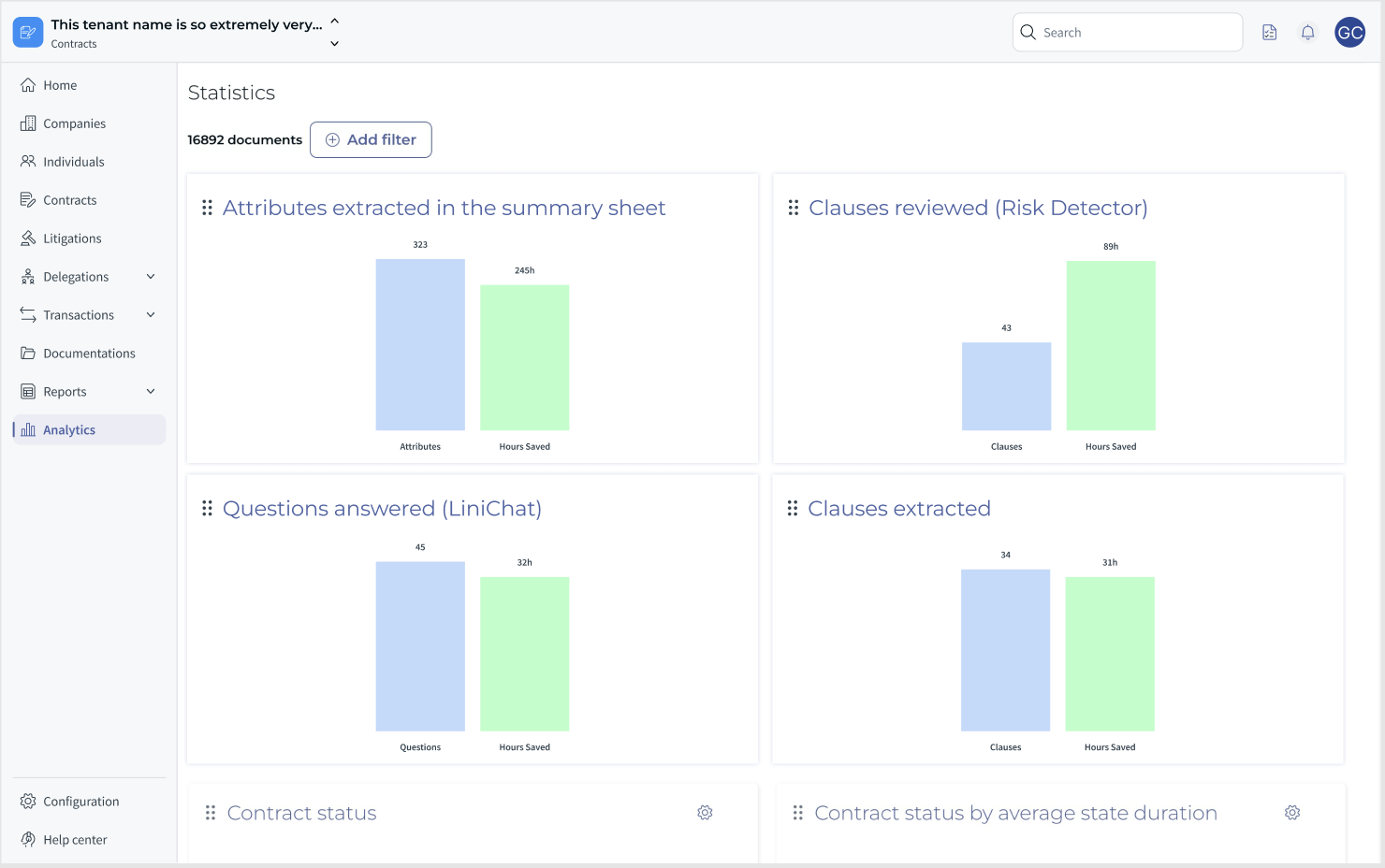
The report shows the total number of automated AI actions and the equivalent working hours saved during the previous month. Each metric is displayed in its own graph, showing both Units processed and Hours saved.
- Attributes extracted in the summary sheet — how many data points AI filled automatically.
- Clauses reviewed (Risk Detector) — how many clauses were analyzed by AI for risk and compliance.
- Questions answered (LiniChat) — how many questions were handled through the AI assistant.
- Clauses extracted — how many clause extractions AI performed automatically.
➡️ Example (September 2025):
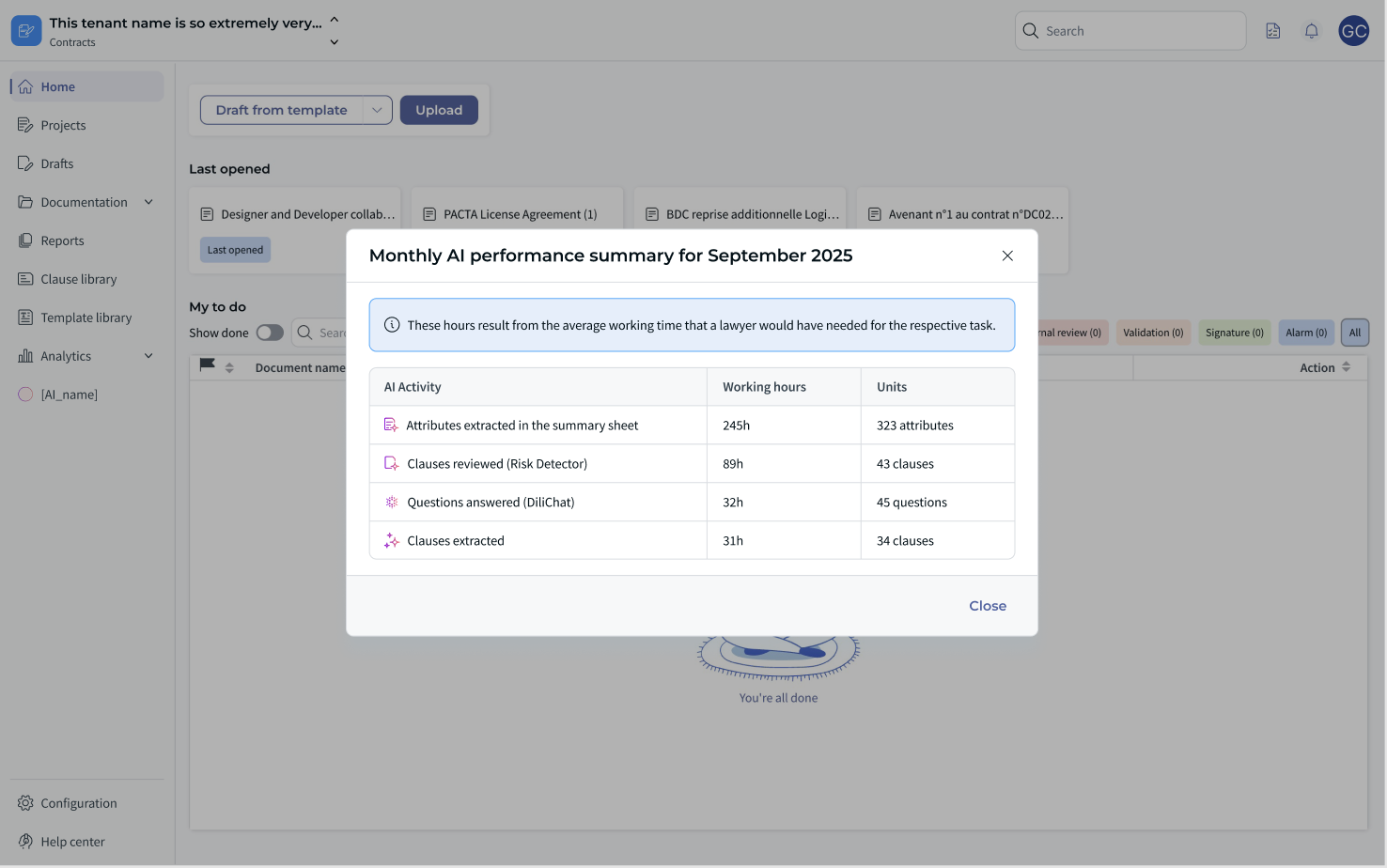
- Attributes extracted: 323 (245h saved)
- Clauses reviewed: 43 (89h saved)
- Questions answered: 45 (32h saved)
- Clauses extracted: 34 (31h saved)
You can view these details under Analytics → Statistics, where each metric appears as a graph for easy comparison.
How to access your monthly AI summary ☝
1️⃣ From the home page
- Each month, you’ll see a notification banner saying: “You saved XX hours with AI last month. Find out how!”
- Click “View summary” to open the detailed performance pop-up.
2️⃣ From the Analytics module
- Go to Analytics → AI Performance.
- View all AI metrics, graphs, and historical data for your tenant.
3️⃣ Optional email
Administrators may also receive a monthly email summary of AI performance, unique to their tenant. Users can unsubscribe from this communication at any time.
How are hours saved calculated? ⚙️
The AI Success Report uses a predefined formula developed by our Product team to estimate how long a human lawyer would have needed to perform the same tasks manually. This allows consistent and realistic conversion of AI actions into time saved metrics.
Benefits ❤️
- ✅ Transparency — Understand how AI contributes to your work each month.
- ✅ Trust & Adoption — See measurable value from AI tools like Risk Detector and LiniChat.
- ✅ Leadership Insight — Provide clear ROI indicators for management.
- ✅ No setup needed — Data is automatically collected per tenant.
Limitations & Notes ⚠️
- Reports are generated monthly, not in real time.
- Data is tenant-specific — you only see statistics for your organization.
- Metrics reflect AI-assisted actions within the CLM platform (not external tools).
- If you do not see the banner, check the Analytics section directly.
FAQ ✋
❓ Can I export my AI report?
Not yet — export options are planned for future releases.
❓ Will the report include other AI products?
For now, only CLM-related AI modules (Risk Detector, LiniChat, Summary Sheet) are included. Future integrations may expand this scope.
❓ Can admins customize the metrics?
No customization is needed or possible — the report automatically aggregates all AI actions relevant to your tenant.
See it in action ✨
Open your workspace home page after the next monthly update to see your latest AI results! You’ll find your total saved hours highlighted in a notification banner, with detailed breakdowns available in Analytics.
Summary ⭐
The Monthly Auto-Report about AI Success is your automated performance snapshot showing how AI contributes to your productivity. It’s simple, transparent, and completely automatic — helping every team measure the true value of legal AI at work.
Was this article helpful?
That’s Great!
Thank you for your feedback
Sorry! We couldn't be helpful
Thank you for your feedback
Feedback sent
We appreciate your effort and will try to fix the article