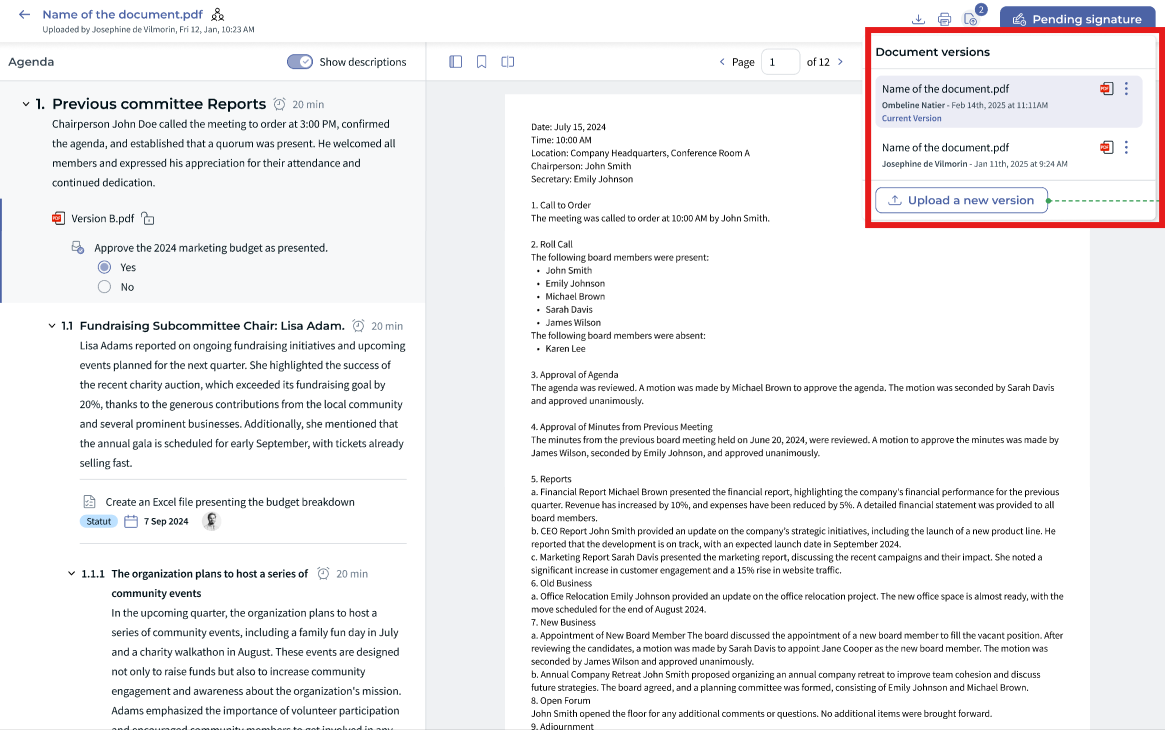
Documents on a meeting agenda often change several times before the meeting. Document versioning lets you upload a new version of a document without creating a duplicate: participants always see the latest version and keep their notes.
✋ Who can do what
- Meeting organizers with edit rights upload new versions of a document attached to the agenda.
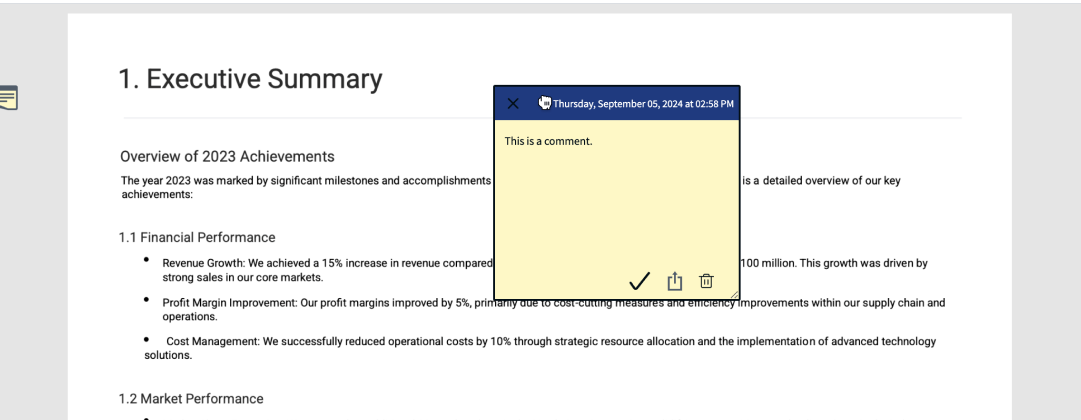
- Board members and participants always open the latest version and keep their sticky notes from one version to the next.
✍ Meeting organizers: upload a new version
You can upload a new version of a document at any time while preparing the agenda. When you do:
- The document stays attached to the same agenda item.
- Participants automatically see the latest version.
- Previous versions remain available if you need them.
- You do not need to attach the document again or resend the agenda.
☝ Board members and participants: find your notes on the new version
- Your sticky notes are copied from the previous version to the new one. They also stay on the version where you created them.
- If the new version has fewer pages than the old one, all your sticky notes are placed on the last page.
- You can move your sticky notes to the right place.
⭐ Tips
- Upload a new version instead of adding a duplicate document.
- Make big changes to the agenda early, and use versioning for last-minute updates.
- Participants: check whether a document has a new version before the meeting.
❓ FAQ
Who can upload a new version?
Only users with edit rights on the meeting.
Are my notes kept?
Yes, when the document format supports it. Your sticky notes are copied to the new version.
Was this article helpful?
That’s Great!
Thank you for your feedback
Sorry! We couldn't be helpful
Thank you for your feedback
Feedback sent
We appreciate your effort and will try to fix the article