✨ Document Management in Matter Management
Document Management in Matter Management centralizes all documents related to a matter and allows you to work on them directly within the application. From uploading files, to editing content in-app, to viewing documents in full screen — everything is designed to keep you efficient, focused, and compliant ⚖️.
No more switching between tools or losing track of document versions: your legal documents stay connected to the matter at every stage.
☝ Uploading Documents to a Matter
You can easily add documents to a matter at any time.
- Upload documents directly from your computer
- Attach files received by email (via integrations, if enabled)
- All documents are securely stored and linked to the matter
Supported documents typically include Word files, PDFs, Excel files, and other common legal formats.
✅ Once uploaded, documents are immediately available to authorized users.
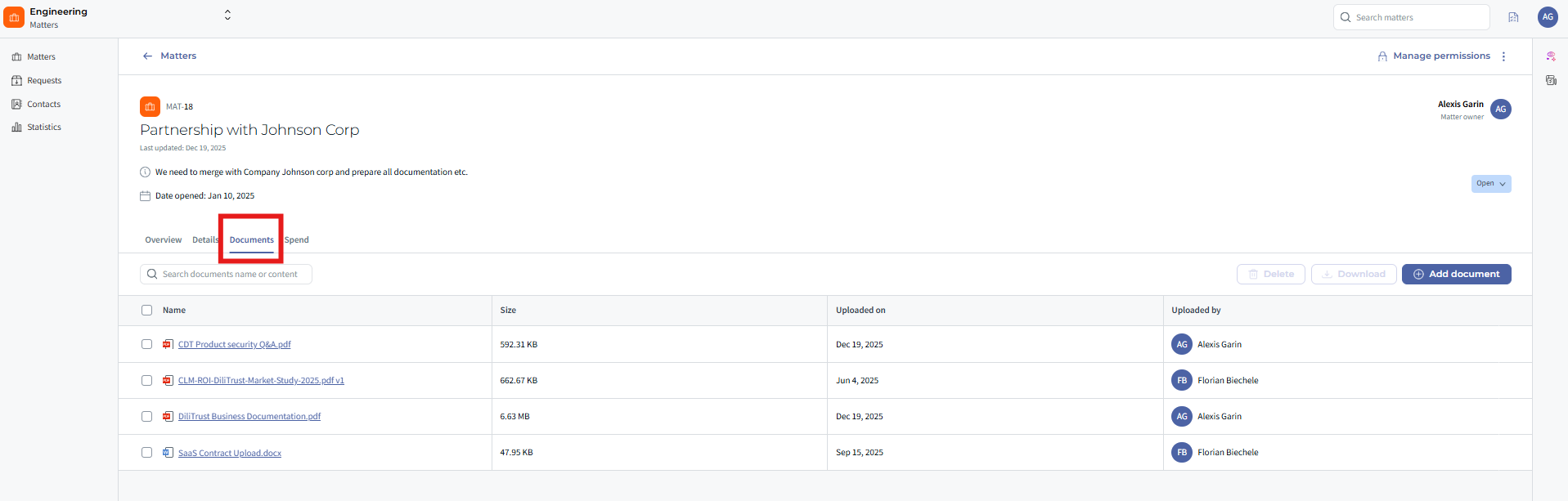
✍ Editing Documents In-App (Word Editing)
Matter Management allows you to edit Word documents directly in the application, without downloading them.
- Open a Word document from the matter
- Edit the content directly in-app
- Changes are saved automatically
- The document remains linked to the matter
This avoids multiple local copies and ensures everyone works on the latest version.
⭐ Ideal for collaborative drafting, updates, and quick revisions.
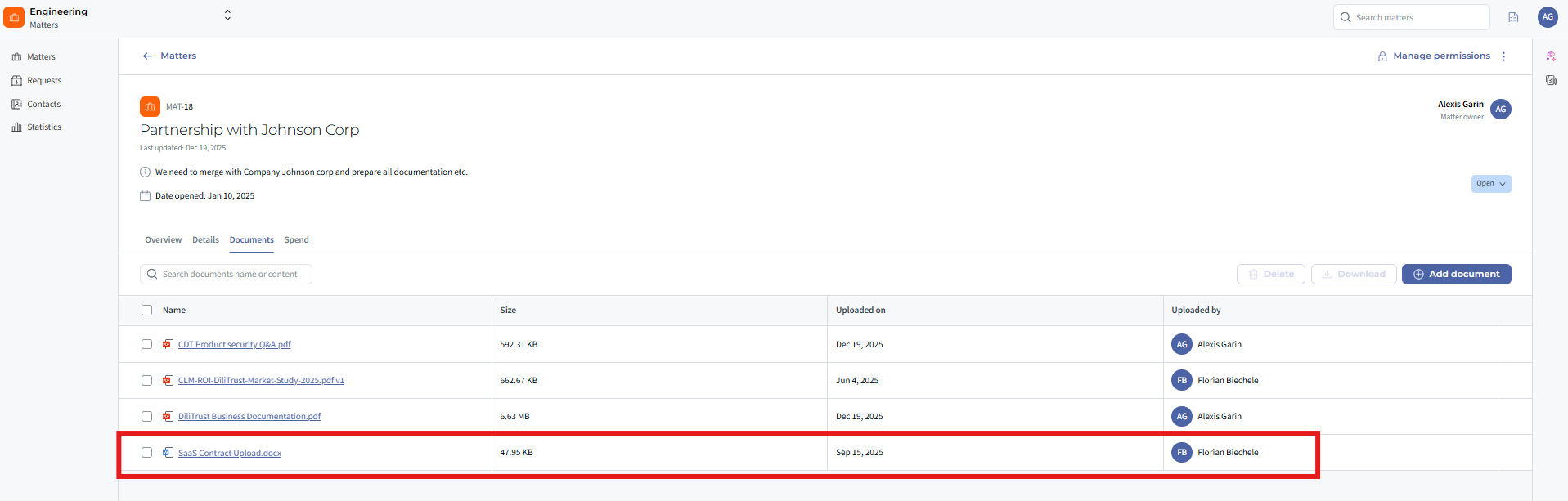
? Viewing Documents in Full Page
You can view documents in full-page mode without leaving Matter Management.
- Open documents in a dedicated full-screen viewer
- Scroll, zoom, and read comfortably
- Switch back to the matter instantly
This allows you to review documents while staying fully immersed in the matter context.
✅ No external applications are required.
⭐ Key Benefits
- Faster document access and review
- Reduced reliance on downloads and local files
- Better visibility and traceability within the matter
- Improved compliance and audit readiness
- A single source of truth for all matter documents
☝ Tips & Best Practices
- Upload documents directly to the relevant matter to keep information centralized.
- Use in-app Word editing to avoid version conflicts.
- Use full-page view for focused document review during analysis or meetings.
❓ Things to Know
- Only users with appropriate permissions can upload or edit documents.
- Document access follows the matter’s security rules.
- In-app editing is available for supported document formats (such as Word).
✨ Conclusion
Document Management in Matter Management keeps all your legal documents connected, editable, and accessible in one place. By uploading, editing, and viewing documents directly in the application, Legal teams save time, reduce risk, and stay focused on what matters most ⚡.
Was this article helpful?
That’s Great!
Thank you for your feedback
Sorry! We couldn't be helpful
Thank you for your feedback
Feedback sent
We appreciate your effort and will try to fix the article