Board documents can be long, and past decisions are often spread across several meetings. Ask Lini, the AI assistant built into Board Portal, helps you find the information you need, understand what has changed and prepare your next meeting using simple questions.
This article gives you concrete use cases and ready-to-use prompts for:
- Governance teams: Corporate Secretaries, Board Portal administrators and legal teams who organise and manage meetings.
- Board members: directors and committee members who prepare for and attend meetings, with a dedicated section for Board Chairs.
Copy the prompts, replace the text in brackets, such as [topic], and adapt them to your needs.
✅ Before You Start
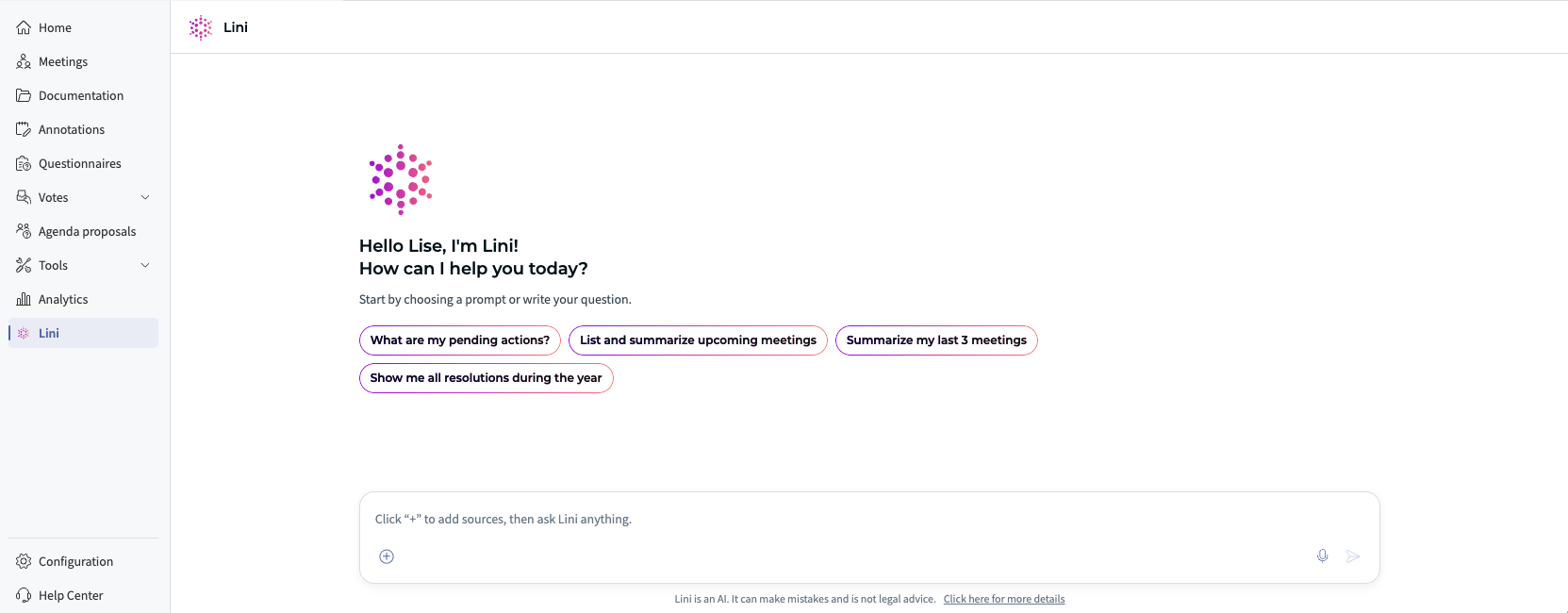
- Lini must be enabled for your organization. If you don't see the Lini icon in Board Portal, contact your administrator or Board Secretary.
- When you open Lini from a meeting, that meeting is automatically selected as context. You can ask questions about the meeting directly from the compact Lini panel.
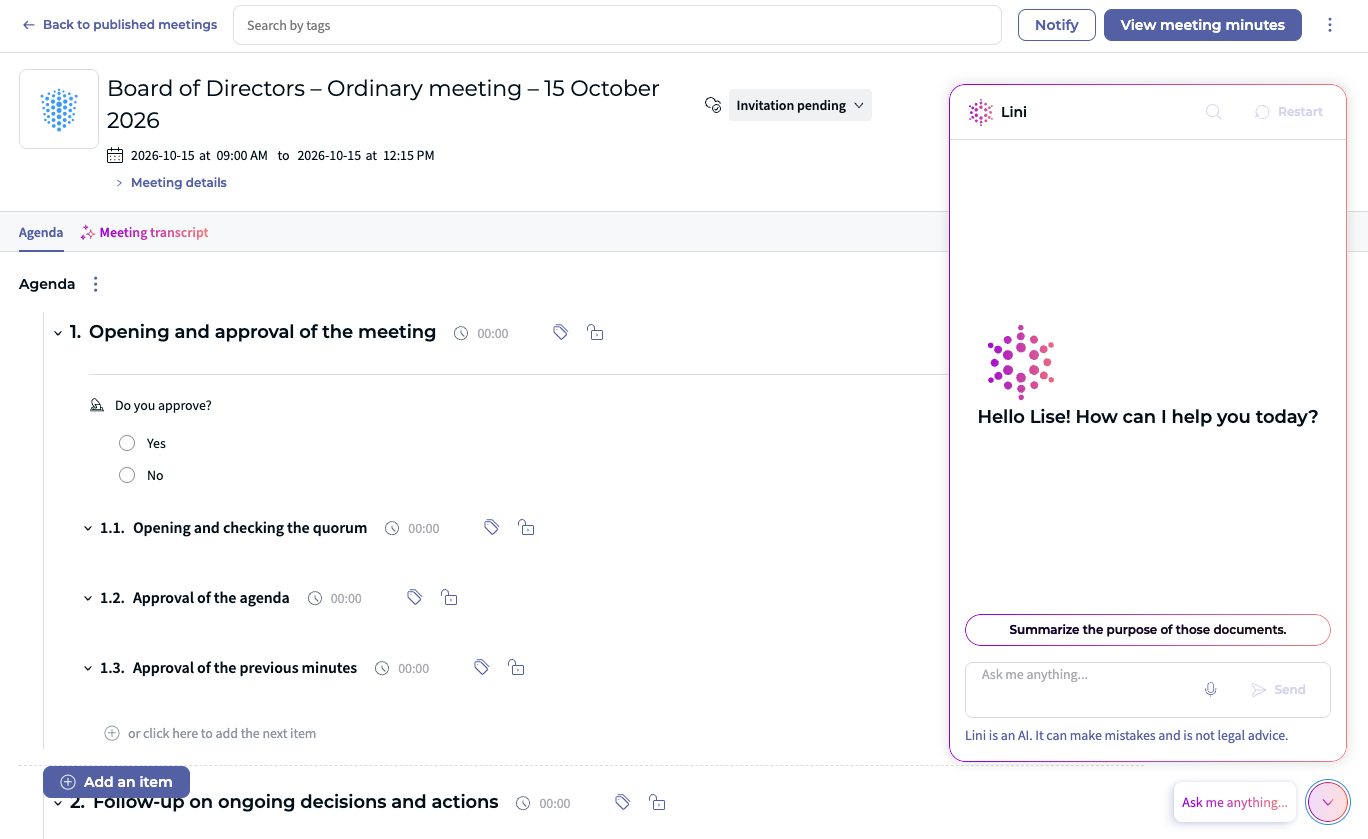
- For questions involving several meetings or documents, open Lini in full-screen mode and select the relevant context.
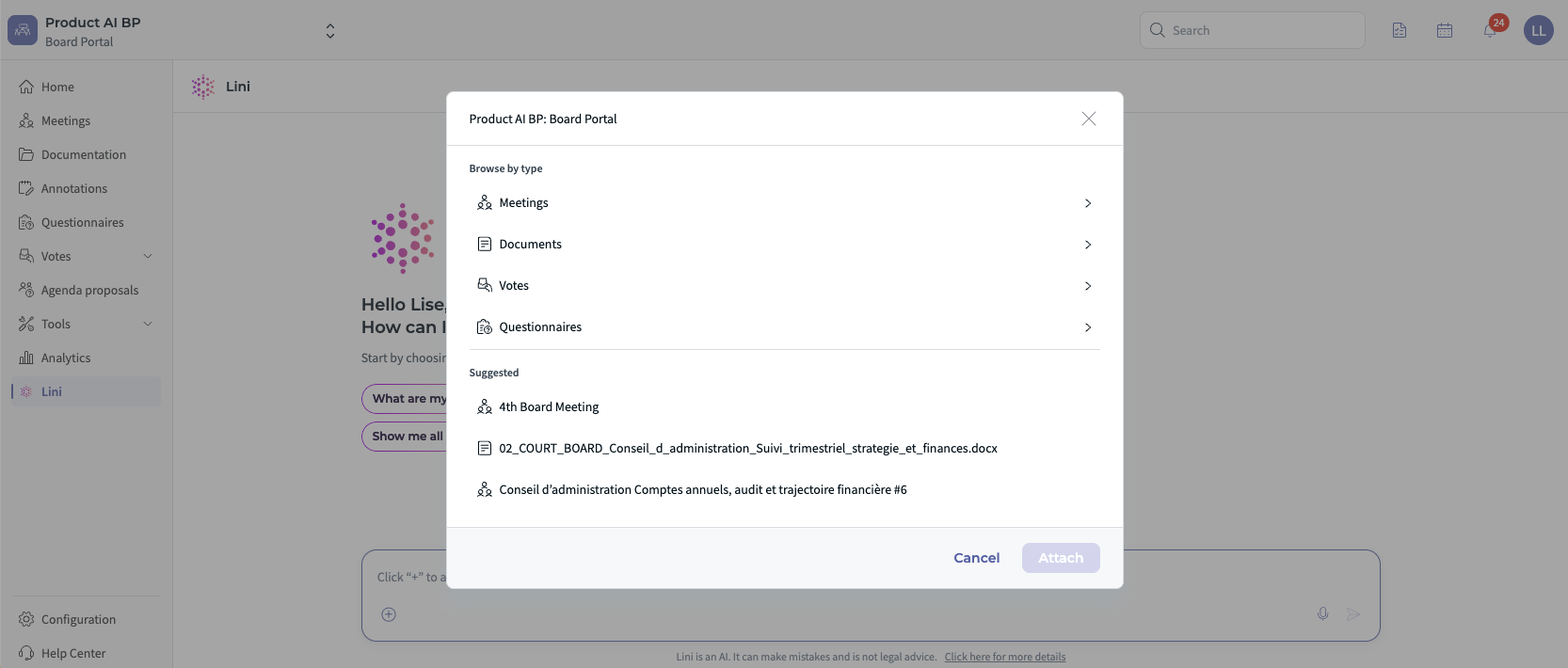
- Add context for more precise answers: click on the '+' button to explore sources and select the meeting(s) or document(s) you want Lini to use. Select one meeting for a focused answer, or several meetings or documents to compare information or follow a topic over time.
- Lini only uses the meetings and documents you have permission to access.
⚖️ Use Cases for Governance Teams
Get ready for your next board meeting
Before a board meeting, key decisions, open actions and risks are often spread across the current board pack and previous minutes.
Try asking (with the upcoming meeting selected as context):
- “Help me prepare for [meeting] by highlighting the key decisions, open actions and risks.”
- “What are the three decisions up for vote and what are the associated risks?”
Find what was decided and what remains open
When someone asks what was decided, the answer may be buried in several sets of minutes, and it may not be clear what still needs to happen.
Try asking:
- “What was decided about [topic] in the last three meetings? Which actions are still open?”
Find a figure and check where it comes from
A figure in a board document may raise a question, but finding its source can mean opening several documents.
Try asking:
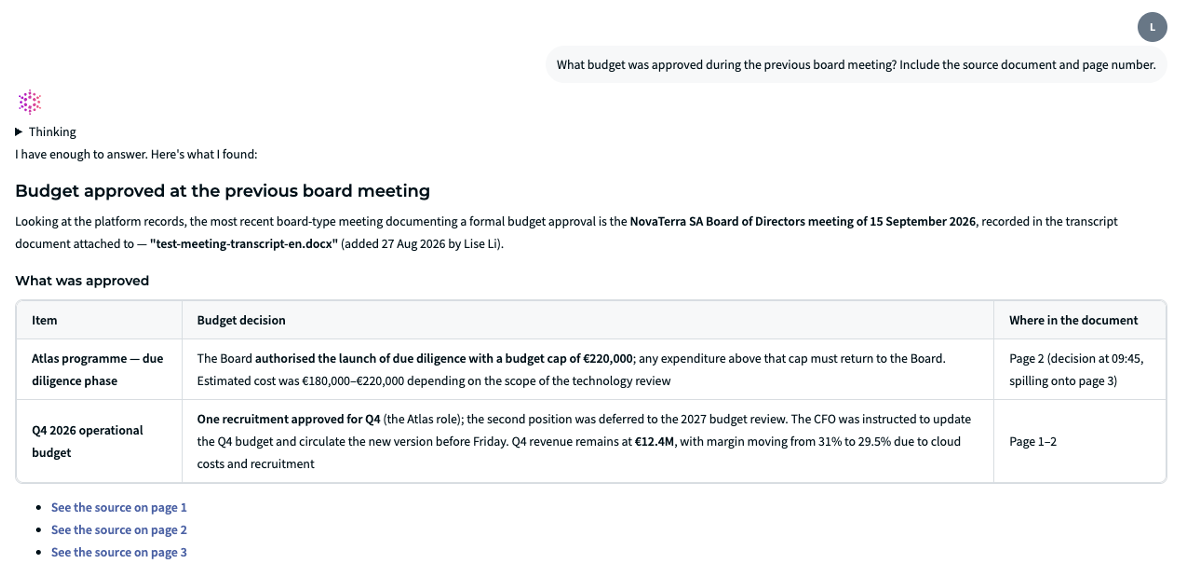
- “What budget was approved during the previous board meeting? Include the source document and page number.”
Find a topic across past meetings
When a topic has been discussed across several meetings, finding its full history means searching through agendas, minutes and questionnaires one by one.
Try asking (with the relevant meetings selected as context):
- “Find the discussions and decisions about [topic] from [period]. Organise them by meeting date.”
Get a quick summary of a document or agenda item
A long document or agenda item can hide the few points that matter for the upcoming decision.
Try asking:
- “Summarise item 2 on the agenda and list the key figures, decisions and risks.”
- “Summarise this document in 5 bullet points for a board member.”
Check what has been completed
After several meetings, it can be difficult to see which commitments were completed, changed or left open.
Try asking (with the previous meetings selected as context):
- “Compare the actions agreed in the previous meetings with the current documents. Which actions are completed, changed or still open?”
- “Summarise the pending action points from the last three Executive Committee meetings and group them by owner.”
See what changed between two documents
Comparing two reports line by line makes it easy to miss a significant change, risk or unexplained figure.
Try asking (with both documents selected as context):
- “Compare [document A] and [document B]. Highlight material changes, risks and questions for management.”
Prepare an audit or management response
An audit or management request may require evidence scattered across meetings, documents and decisions.
Try asking:
- “I need to prepare an audit response about [topic]. Summarise the relevant discussions, decisions, risks and open actions from [period].”
Set up a meeting, a questionnaire or a vote faster
Creating a meeting, questionnaire or vote from existing information can mean entering the same content more than once.
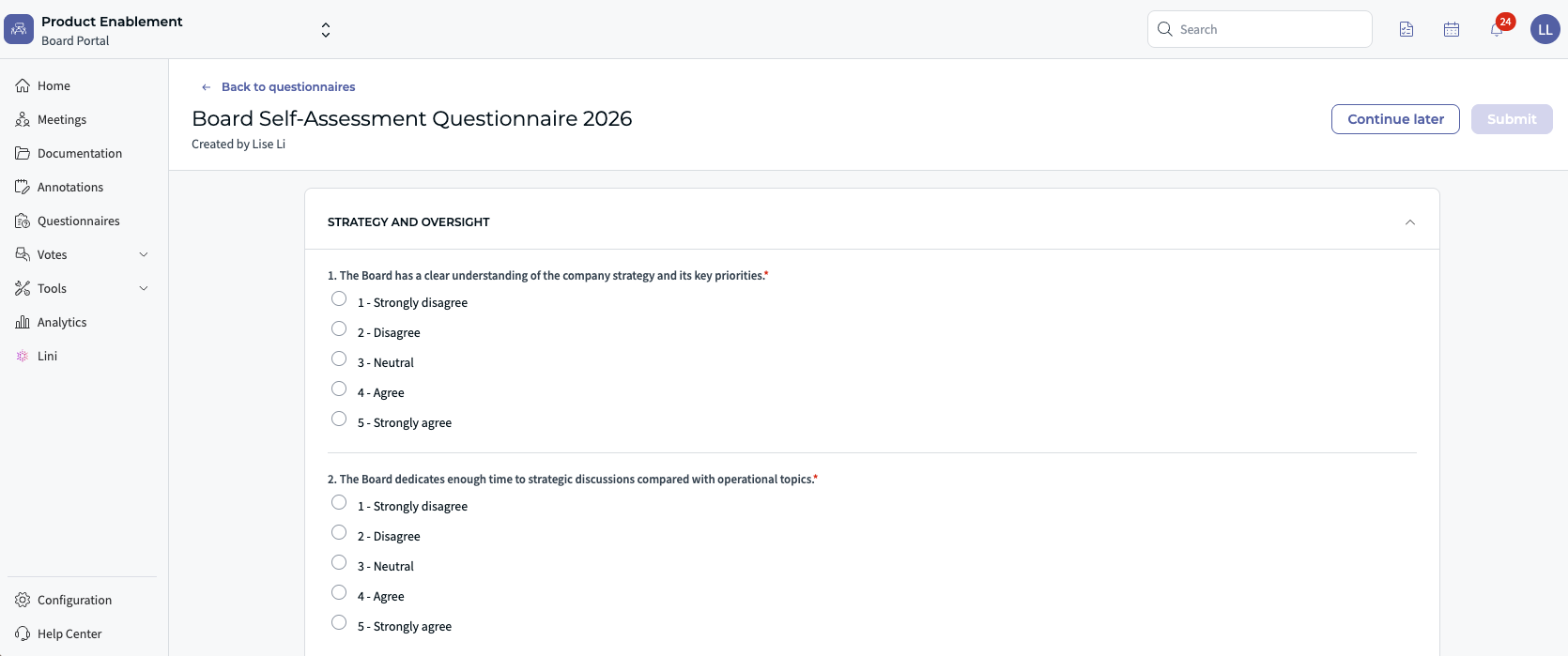
Try asking:
- “Create a vote on this agenda item: [agenda item].”
- “Based on this document, create a standalone self-assessment questionnaire for Board Members.”

To create a meeting or questionnaire, the source document must be stored in Documentation / Documents. Always review the draft before saving, publishing or sending it.
Prepare a first draft of the minutes for review
Preparing minutes from the agenda, documents, votes and transcript can be time-consuming when the information is spread across several sources.
Try asking:
- “Create a first draft of the minutes based on the agenda, attached documents, meeting notes, transcript and recorded votes. Follow our standard minutes template and focus on decisions, resolutions and action items.”
- “Rewrite these draft minutes in a shorter format, while keeping all decisions, resolutions, figures and action items.”
Learn more in Generate Meeting Minutes in the Board Portal, AI-Powered Meeting Minutes Adapted to Your Format and BP - Audio Transcription for Board Meetings.
⭐ Use Cases for Board Members
Get the key points from a long board pack
A large board pack can make it difficult to see which decisions, risks and changes deserve attention first.
Try asking (with the upcoming meeting selected as context):
- “What are the key decisions and risks in this board pack?”
- “What has changed since the previous meeting?”
- “What are the 3 biggest risks identified in the CEO's quarterly report?”
Catch up on a meeting you missed
When you miss a meeting, catching up means reviewing the minutes and supporting documents before you can contribute to the next discussion.
Try asking (with the meeting you missed selected as context):
- “Summarise the key decisions, open actions and next steps from the last board meeting.”
Understand a document in its board context
A document does not always explain what has changed since the previous board discussion or why it matters.
Try asking:
- “Summarise this document and explain what has changed since the previous board meeting.”
Ask questions about a specific agenda item
A specific agenda item may raise questions, but the relevant background can be spread across several documents and previous meetings.
Try asking:
- “What are the key risks associated with item 3 on the agenda?”
- “Which documents support the decision proposed under item 4?”
Find what changed over time
When a topic evolves over time, it can be difficult to separate new information from what was already discussed or agreed.
Try asking:
- “Find the last three meetings where [topic] was discussed and summarise the key points.”
Prepare the questions you want to ask
Even after reading the board pack, it can be difficult to turn risks and open points into focused questions for management.
Try asking:
- “Based on the selected documents, suggest the most important questions about risks, financial impact and deadlines.”
Lini suggests a first list: you decide which questions matter.
Ask follow-up questions in the same conversation
A first answer may not cover everything you need, and starting the search again would mean repeating the same context. Lini keeps the context of the conversation, so you can simply refine your question:
- “Summarise the previous board meeting.”
- “Which decisions are still open?”
- “What changed compared with the meeting before?”
Read the information in your preferred language
Board documents may not be written in the language you prefer, making it harder to prepare for the meeting.
Try asking:
- “Summarise this document in [language].”
⏫ Use Cases for Board Chairs
As Board Chair, you need a strategic view of the company to steer the Board's discussions, without going through every report and previous discussion.
Review the company's financial trajectory
Financial performance is spread across several years of reports and board discussions, which makes the overall trend hard to see.
Try asking (with the relevant meetings selected as context):
- “Review our financial performance over the last three years. Highlight the main changes in revenue, EBITDA, risks and decisions recorded by the Board.”
Prepare strategic questions for the Board
Before a key meeting, it can be difficult to turn performance gaps and open risks into a focused agenda for discussion.
Try asking:
- “Based on our financial history and the documents for the next meeting, suggest the most important strategic questions for the Board, focusing on performance gaps, assumptions and risks.”
Compare the company with its competitors
Board Members often ask how the company performs against its competitors, but this information is not in the board documents.
Try asking (with Web Search activated and no context selected):
- “Using Web Search, compare the latest public financial results of [Competitor A] and [Competitor B] on revenue, EBITDA and guidance. Cite the sources.”
Then compare this benchmark with your internal review.
⚡ Using Web Search
Use Web Search for external information, such as regulatory updates, governance guidance or public competitor information. Each answer lists its sources with reference numbers and a [See source] button so you can check the original page.
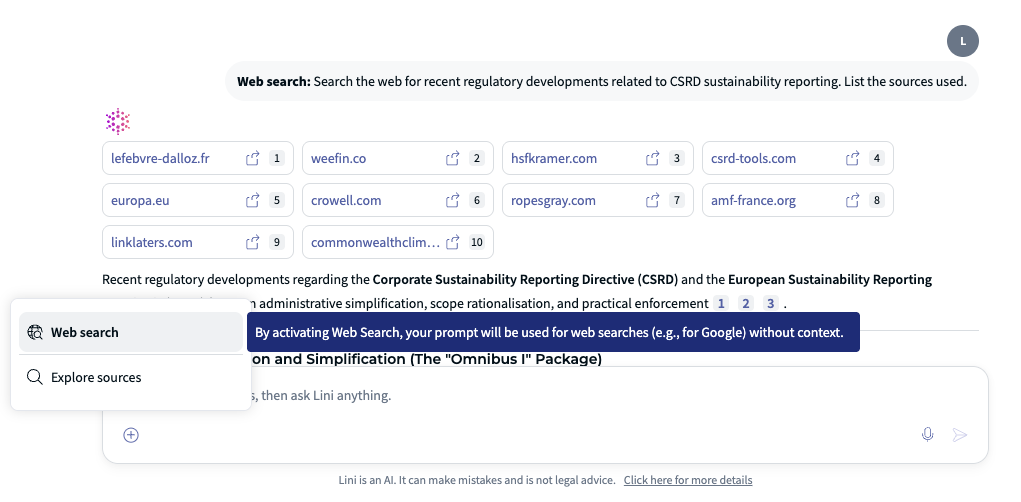
Web Search and Board Portal content are separate. When a meeting or document is selected, Lini answers from that context only. To combine both:
- Ask your question with the relevant meeting or document selected.
- Remove the selected context.
- Activate Web Search and ask your external question.
- Compare the two answers.
Example prompts (Web Search, no context selected):
- “Search the web for recent regulatory developments related to [topic]. List the sources used.”
- “Using Web Search, compare the latest public financial results of [Competitor A] and [Competitor B]. Cite the sources.”
Web Search can be disabled by your organization. If you don't see it, contact your administrator.
✨ Tips for Better Prompts
- Name the meeting, committee, period or topic.
- Ask for a specific output: "group by owner", "list the decisions", "5 bullet points".
- Ask for sources, page numbers or links when you need to check a figure.
- Start broad, then ask follow-up questions.
- Treat each answer as a draft to review, and check important information against the original document.
❌ Limitations
- Lini does not assign or follow up actions, and does not approve decisions for you.
- Lini's answers do not replace reading the official documents, especially for decisions you vote on.
- Drafts prepared by Lini (minutes, meetings, questionnaires, votes) must be reviewed before use.
- Web Search cannot be used at the same time as a selected meeting or document.
- Search across different Board Portal environments is not available.
- To follow documents awaiting signature, use the dedicated signature tracking area rather than Ask Lini.
❓ FAQ
Can Lini search across several meetings at once?
Yes. Select the relevant meetings as context and ask Lini where a topic was discussed or to summarise their outcomes.
Can I check where an answer comes from?
Yes. Ask Lini to include the source document and page number, then open the link to check the original.
Can I use Web Search on my board documents?
Not at the same time. Ask your question with the meeting selected first, then remove the context and use Web Search for external information.
Are these prompts mandatory?
No. They are examples. Rephrase them in your own words or language.
Was this article helpful?
That’s Great!
Thank you for your feedback
Sorry! We couldn't be helpful
Thank you for your feedback
Feedback sent
We appreciate your effort and will try to fix the article