Lini is the AI assistant built into DiliTrust. On request, it turns your platform data and documents into finished files: Word, PDF, Excel or PowerPoint.
You get a clear report or working document to share, without rebuilding it by hand.
This works in Board Portal, Legal Entity Management and Matter Management.
⭐ What you can create
- Word: briefings, summaries, memos and notes you can still edit.
- PDF: fixed versions to share.
- Excel: trackers, tables and lists.
- PowerPoint: presentations for management, committees or the board.
Examples in each product
- Board Portal: board briefings, meeting and governance summaries, vote or attendance trackers, evidence packs and presentations.
- Legal Entity Management: entity profiles, governance summaries, mandate renewal trackers, ownership or group structure files and presentations.
- Matter Management: case notes, risk briefings, deadline trackers, budget and provision reports, and presentations for management or the board.
☝ How it works
- Ask Lini for a file. Say what it should cover, which format you want and how detailed it should be. Example: “Create a PowerPoint that summarizes the last board meeting.”

- Lini builds the file from the data and documents you can access.
- Lini saves the file in the “AI Artifact” folder of your workspace, or in another location you are allowed to use.
- Lini gives you a direct link to open the file.
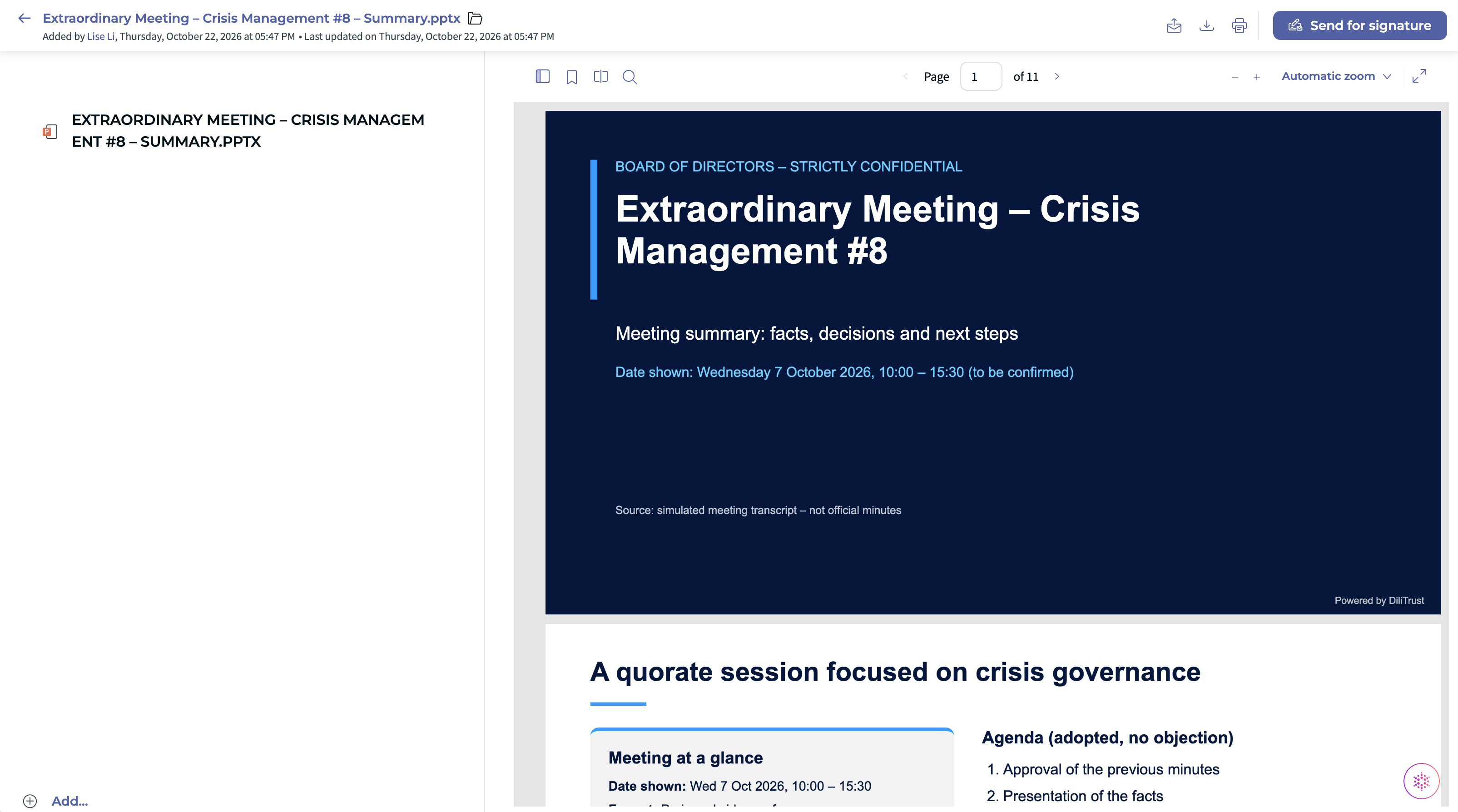
Lini creates a file only when you ask for one.
In Matter Management, each file is attached to a matter and saved in that matter’s “AI Artifact” folder. You need permission to add documents to that matter.
Files use DiliTrust colors, or your own brand colors and font if you ask.
⚖️ A file created by Lini or a standard export?
Both are available. They do not serve the same purpose.
Standard export
- Gives you the platform data as it is, in the standard format of the product.
- Examples: exports from meetings, entities or matters.
- Standard exports stay available wherever the product offers them.
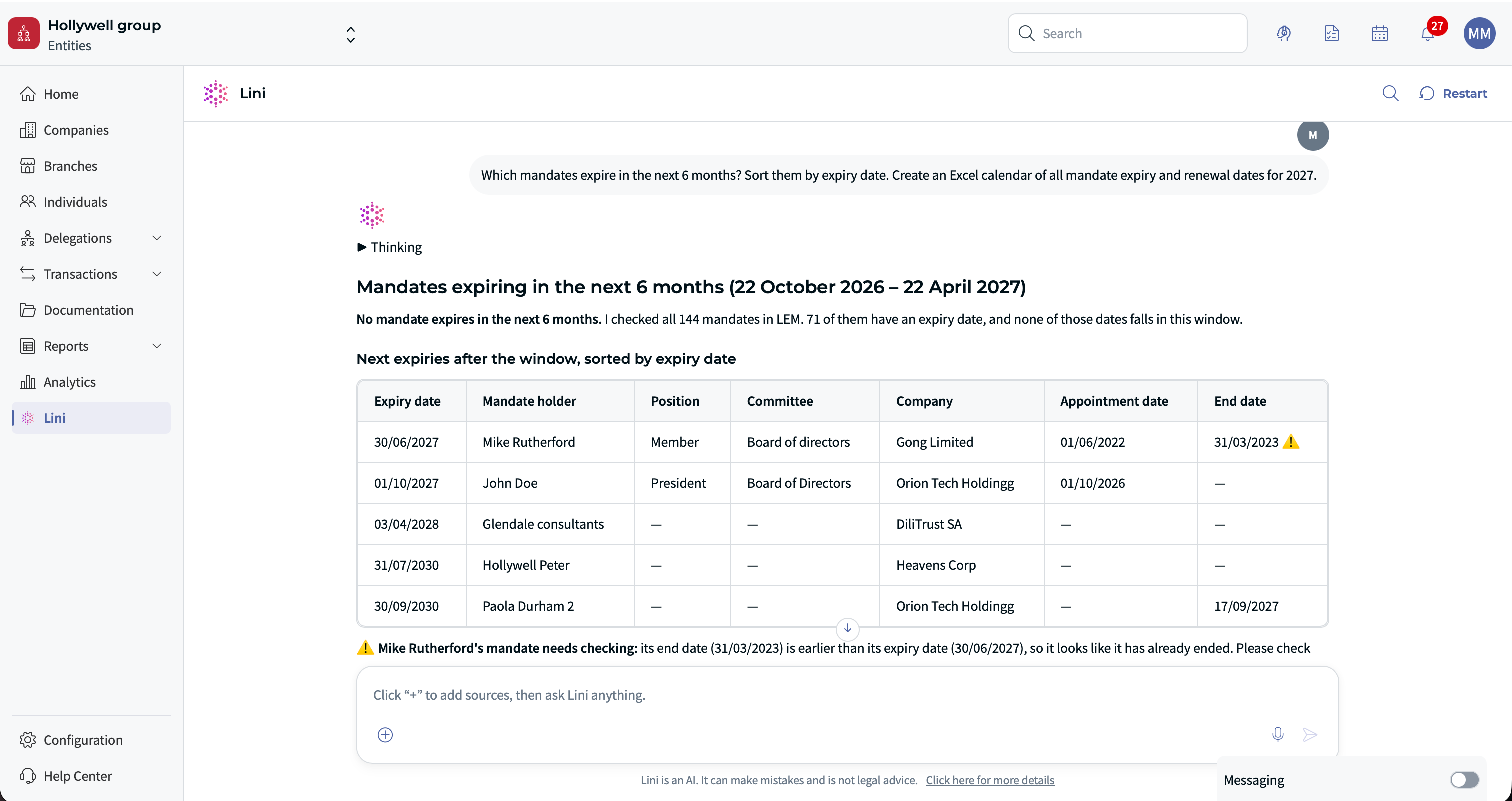
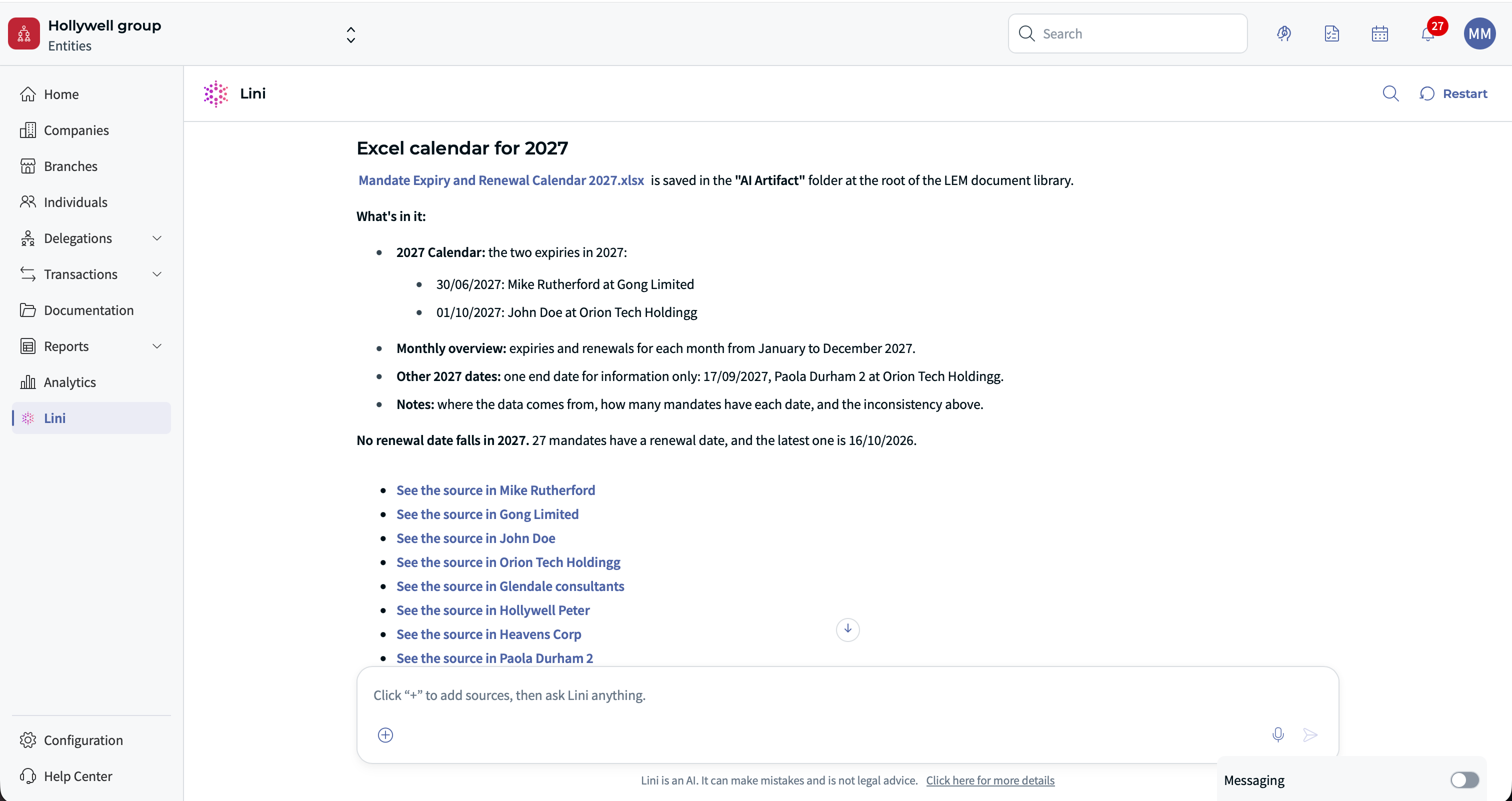
File created by Lini
- A formatted working document, ready to read, share or reuse.
- Built from your data and documents, with the scope, format and level of detail you asked for.
- Example: an Excel tracker of mandates expiring in the next 6 months, or a 4-slide presentation for management.
❗ Limits and good practice
- Lini only uses data you are allowed to access. It never adds data you cannot see.
- Check the file before you share it, especially figures and dates.
- Share files according to your organization’s confidentiality rules.
❓ FAQ
Where do I find the files Lini created?
Lini gives you a direct link. The file is saved in the “AI Artifact” folder of your workspace, or in another location you are allowed to use. In Matter Management, look in the “AI Artifact” folder of the matter.
Does Lini replace the standard exports?
No. Standard exports stay available. Use them when you need the raw platform data. Ask Lini when you need a finished document.
Can a file include data I cannot see in the platform?
No. Lini respects your access rights.
⭐ Related articles
Was this article helpful?
That’s Great!
Thank you for your feedback
Sorry! We couldn't be helpful
Thank you for your feedback
Feedback sent
We appreciate your effort and will try to fix the article